> ## Documentation Index
> Fetch the complete documentation index at: https://docs.magna.so/llms.txt
> Use this file to discover all available pages before exploring further.
# Smart Contracts
> Smart contracts control how your tokens are distributed to stakeholders. This section covers adding and deploying them, the difference between contract types, and how to edit, fund, and defund a contract.
Smart contracts in Magna control the distribution of your tokens through your allocations. You create and deploy them using your [admin wallet](/admins/product-guides/magna-quickstart-guide/step-1-set-up-key-project-details/step-1c-how-to-add-admin-wallet).
Every smart contract belongs to a single token. To manage them, go to **Settings → Token Distribution → Smart Contracts**, then choose the relevant token from the dropdown at the top of the page.
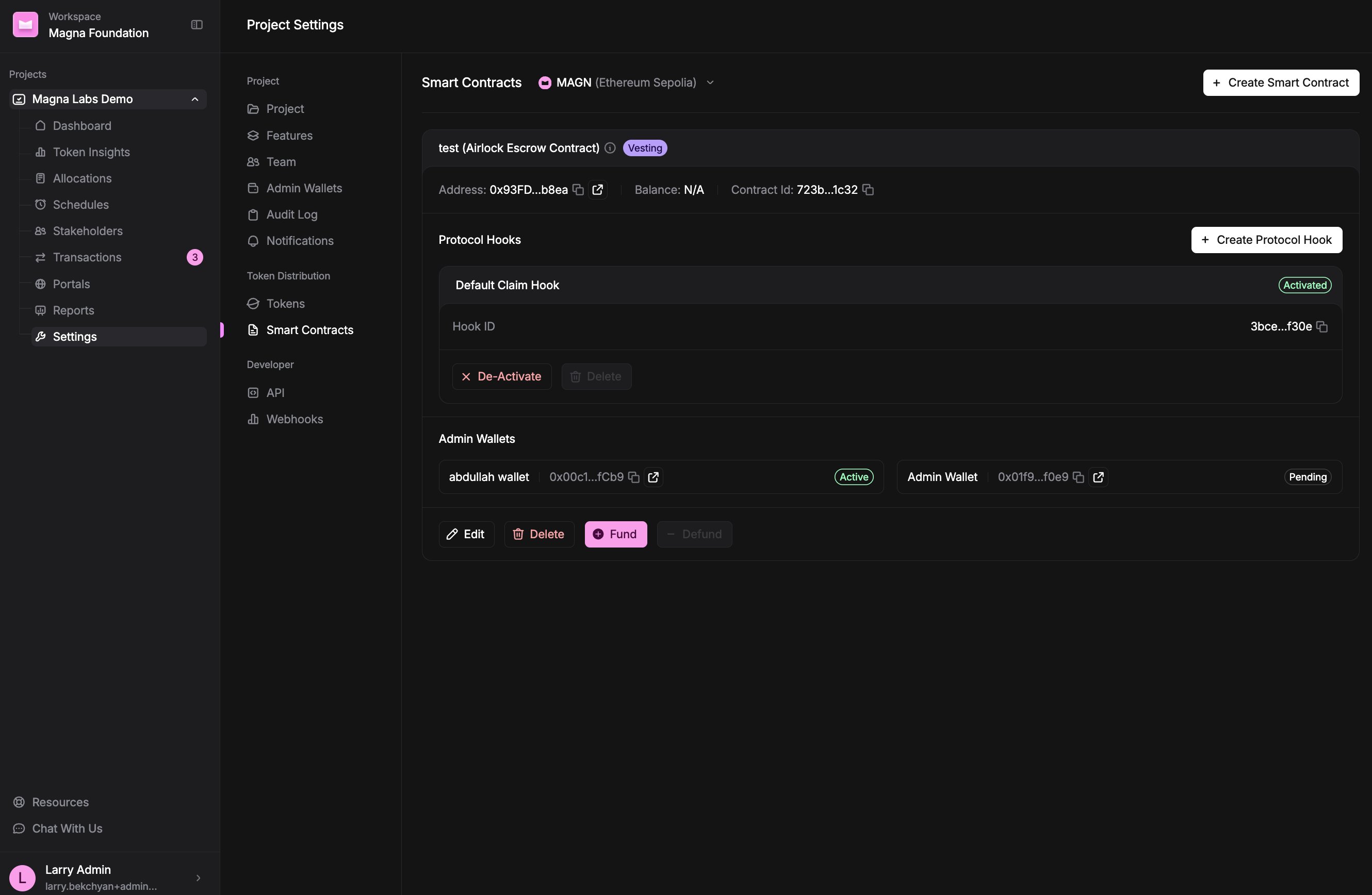 You need a token before you can view or create smart contracts. If you haven't added one yet, set it up first in [token settings](/admins/product-guides/magna-quickstart-guide/step-1-set-up-key-project-details/step-1b-how-to-add-project-tokens). Smart contracts can't be created for native tokens.
## What's in this section
* [Contract types](/admins/product-guides/smart-contracts/contract-types) — the difference between **Claim** and **Direct Transfer** contracts, and how to pick the right one.
* [How to add and deploy a contract](/admins/product-guides/smart-contracts/how-to-add-and-deploy-a-contract) — create a contract and put it on-chain with your admin wallet.
* [How to edit a contract](/admins/product-guides/smart-contracts/how-to-edit-a-contract) — what you can change once a contract is deployed.
* [How to fund a contract](/admins/product-guides/smart-contracts/how-to-fund-a-contract) — deposit tokens directly into a Claim (escrow) contract.
* [How to defund a contract](/admins/product-guides/smart-contracts/how-to-defund-a-contract) — withdraw tokens from a Claim (escrow) contract.
Not sure whether you need a Claim or a Direct Transfer contract? Read our [explainer on Airdrop vs. Claim](https://www.magna.so/blog/airdrop-vs-smart-contract-which-is-better-for-token-vesting) before you create one.
You need a token before you can view or create smart contracts. If you haven't added one yet, set it up first in [token settings](/admins/product-guides/magna-quickstart-guide/step-1-set-up-key-project-details/step-1b-how-to-add-project-tokens). Smart contracts can't be created for native tokens.
## What's in this section
* [Contract types](/admins/product-guides/smart-contracts/contract-types) — the difference between **Claim** and **Direct Transfer** contracts, and how to pick the right one.
* [How to add and deploy a contract](/admins/product-guides/smart-contracts/how-to-add-and-deploy-a-contract) — create a contract and put it on-chain with your admin wallet.
* [How to edit a contract](/admins/product-guides/smart-contracts/how-to-edit-a-contract) — what you can change once a contract is deployed.
* [How to fund a contract](/admins/product-guides/smart-contracts/how-to-fund-a-contract) — deposit tokens directly into a Claim (escrow) contract.
* [How to defund a contract](/admins/product-guides/smart-contracts/how-to-defund-a-contract) — withdraw tokens from a Claim (escrow) contract.
Not sure whether you need a Claim or a Direct Transfer contract? Read our [explainer on Airdrop vs. Claim](https://www.magna.so/blog/airdrop-vs-smart-contract-which-is-better-for-token-vesting) before you create one.