

Cancel is one of three related actions — pick the right one:
- Cancel (this guide) — an on-chain action for allocations you have already funded. It stops the contract from distributing further and reclaims unclaimed tokens.
- Delete — an off-chain action for allocations you have not funded yet. It simply removes the allocation from Magna. See How To Edit & Delete Allocations.
- Schedule a cancellation — set a future date for a Direct Transfer (Airdrop) allocation to cancel automatically. See How To Schedule Cancellation of Allocations.
Before you cancel: sync the claim state from chain
Cancellation only reclaims tokens that are still unclaimed. A recipient can keep claiming right up until the cancellation transaction is signed, so before you cancel, sync the allocation so Magna reflects the latest claimed amounts from the blockchain. This makes sure the amount returned to your admin wallet is accurate.-
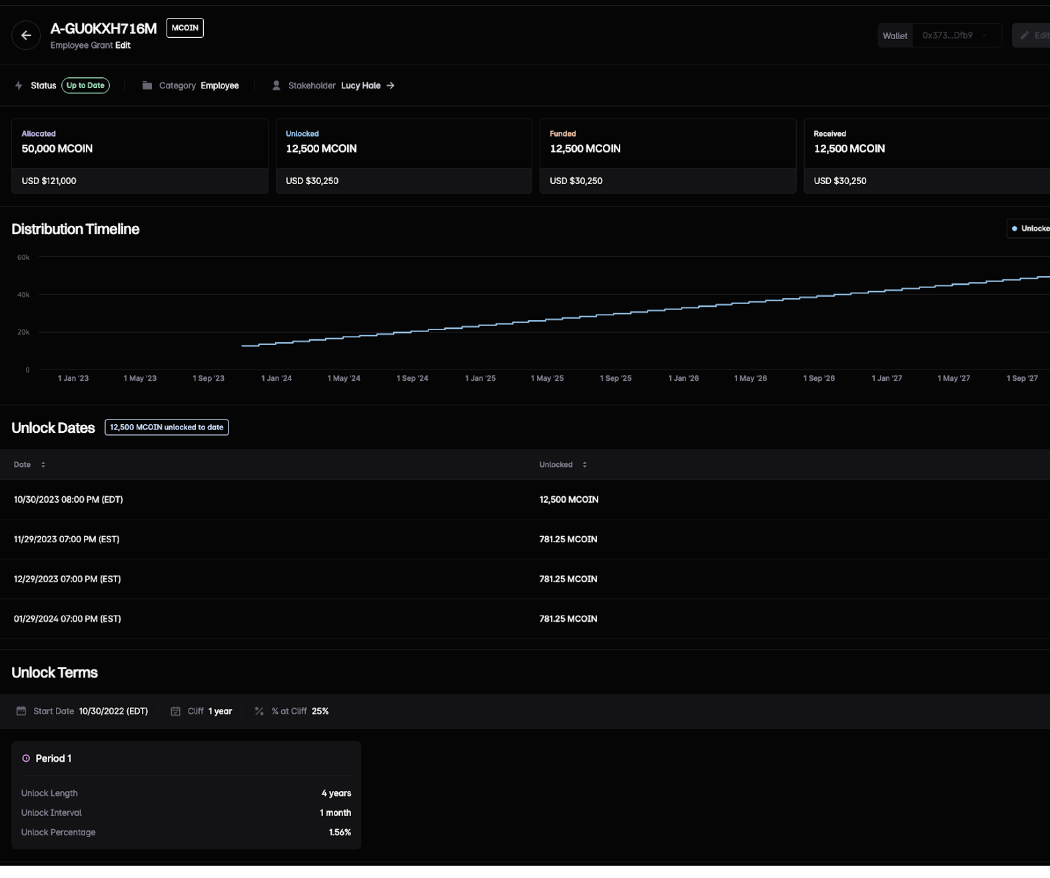
Open the allocation you plan to cancel.
-
Click Sync allocation state from chain (the refresh icon in the top-right actions).
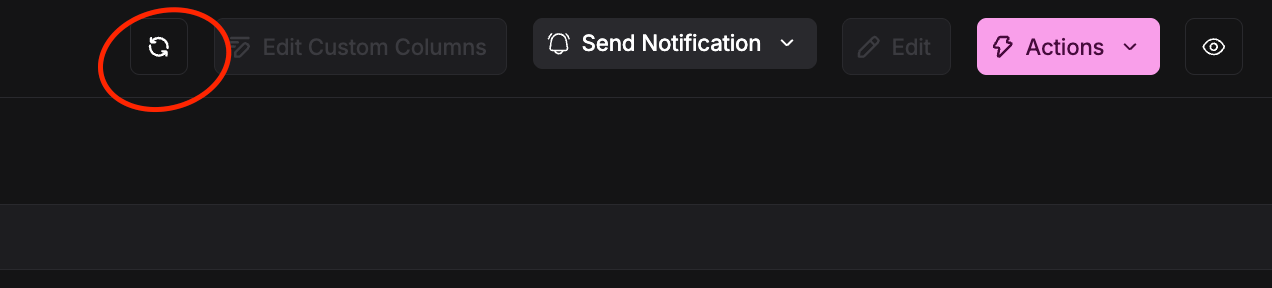
The sync action is available only for Claim allocations that have been started on-chain. Direct Transfer (Airdrop) allocations don’t have an escrow contract to read claim state from, so they don’t show this action.
What happens to the tokens
When you cancel:- Already-claimed tokens stay with the recipient — cancellation never claws these back.
- Unclaimed tokens are handled based on the option you choose below.
- Optionally, set a termination date to backdate the cancellation. Tokens are treated as vested only up to that date and time.
Choose what happens after cancellation
When you cancel, choose one of two options for the tokens that haven’t been claimed yet:- Reclaim unclaimed + stop future transfers (default)
- Claim: all unclaimed tokens are clawed back to your admin wallet.
- Direct Transfer: no further tokens are distributed.
- Allow claims + continue vested distributions
- Claim: recipients can still claim tokens that have already vested — nothing is clawed back.
- Direct Transfer: already-vested tokens continue to be distributed on the original schedule.
The “Allow claims + continue vested distributions” option may need to be enabled for your token by the Magna team. If you don’t see the choice, reach out to us.
Set a termination date (optional)
You can backdate the cancellation to an effective date — for example, an employee’s last day. Vesting is calculated up to that date and time (UTC), and anything that would have vested afterwards is treated as unvested and reclaimed. The termination date must be in the past.Cancel an allocation
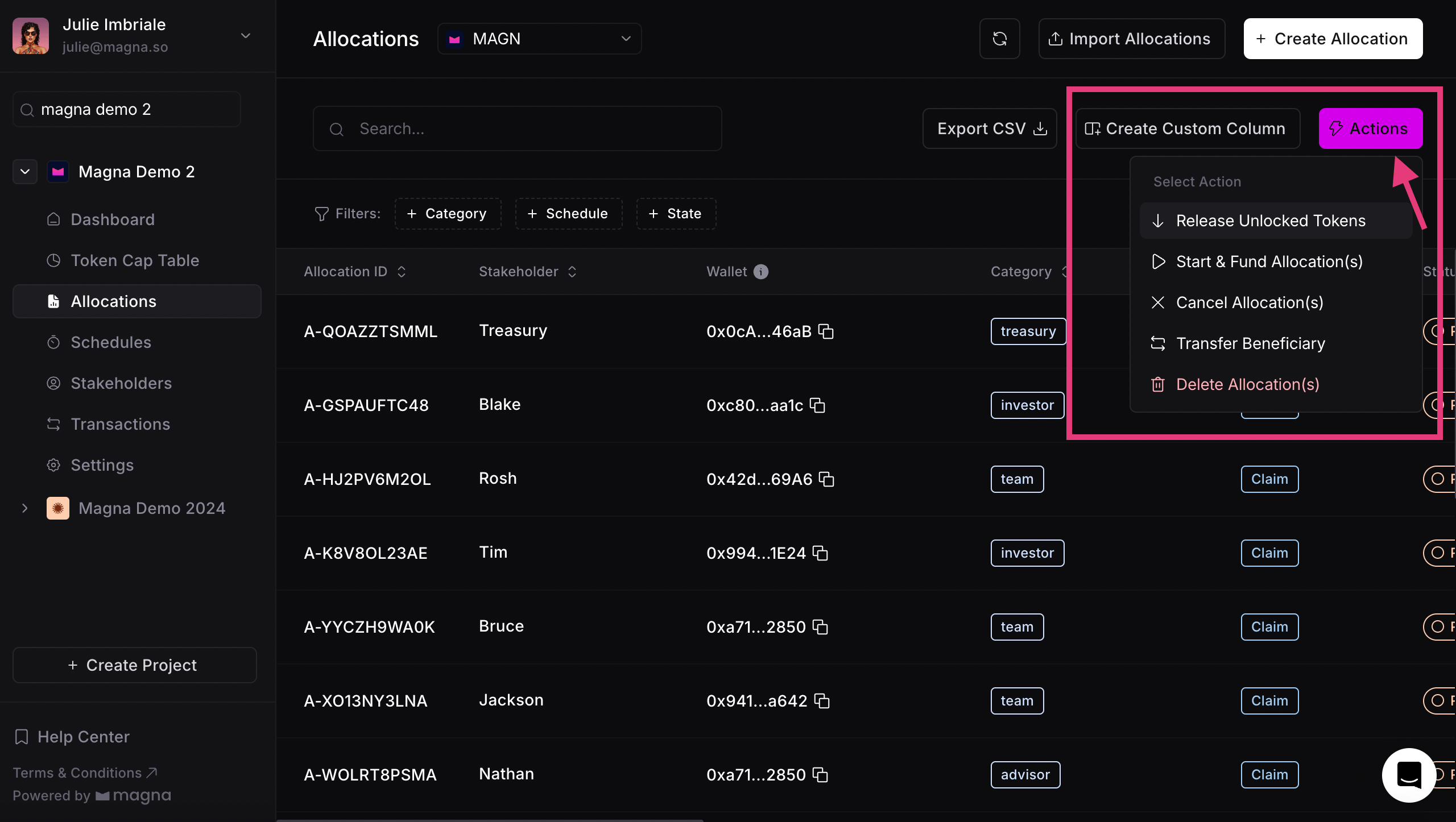
- Go to the Allocations tab and select the allocation(s) you want to cancel.
-
Click Actions in the top right-hand corner and choose Cancel.
-
Review the summary and, optionally, set a termination date and time. If the “allow claims” option is enabled for your token, you’ll also choose what happens to unclaimed tokens here.
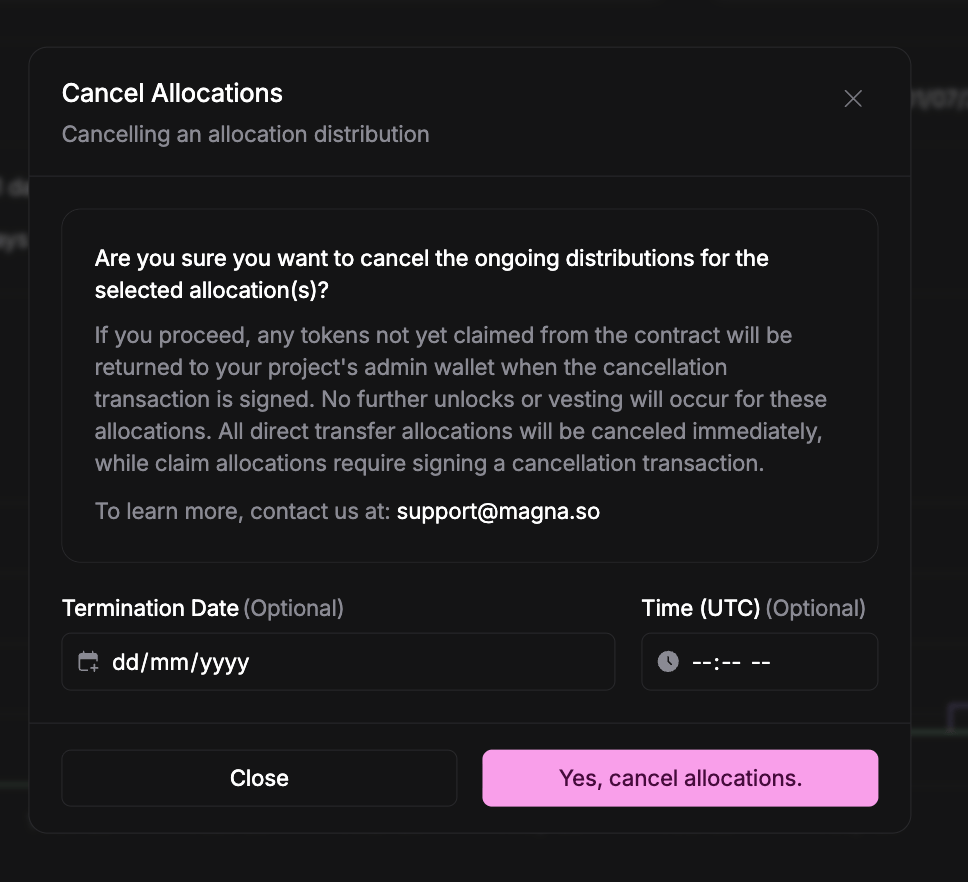
- Click Yes, cancel allocations.
-
Sign the cancellation transaction where required:
- Claim allocations that were already funded on-chain need a signed Cancel Distribution transaction. Go to the Transactions tab and sign it using the same wallet address you used to fund them.
- Direct Transfer allocations that haven’t gone on-chain — and Claim allocations that were never funded — are cancelled immediately, with no transaction to sign.
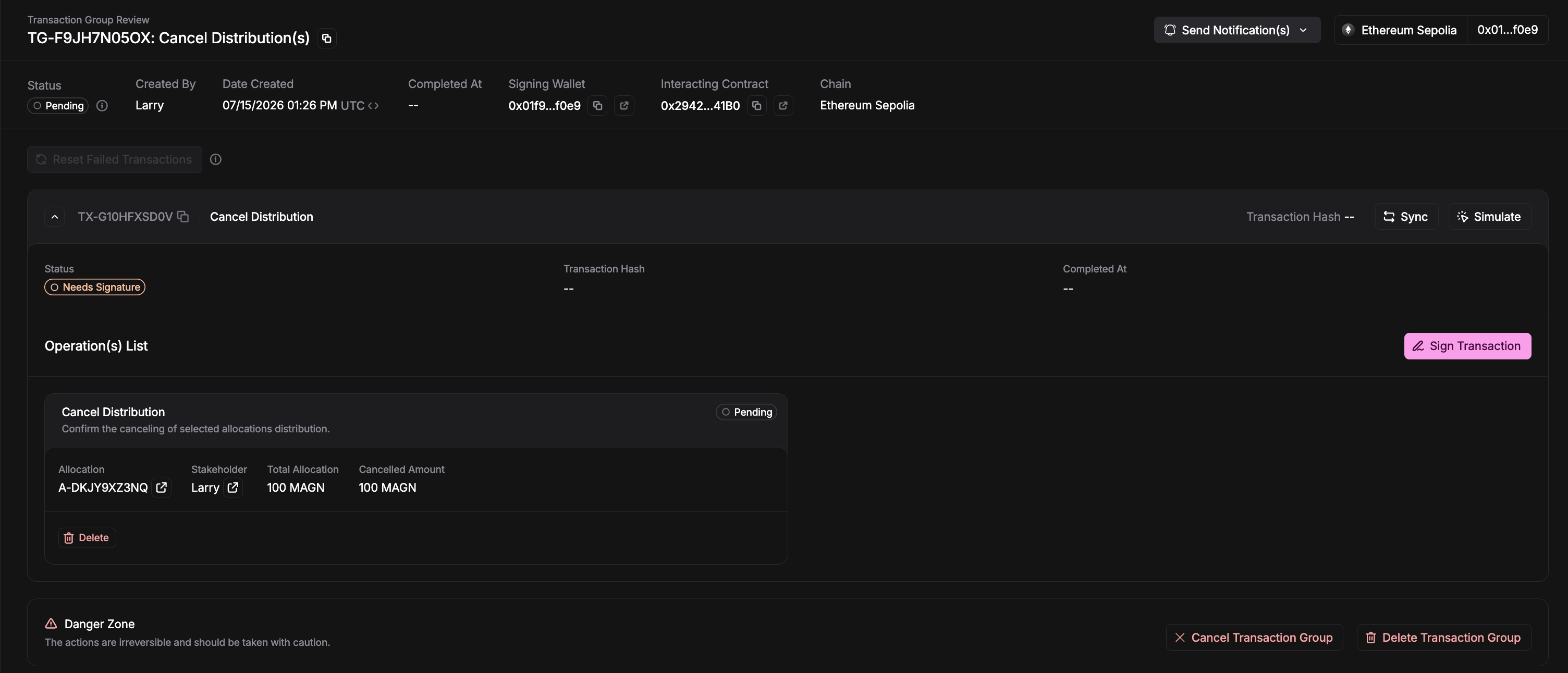
Which allocations can be cancelled
An allocation cannot be cancelled if any of the following are true:- It is already Cancelled or Completed (fully claimed).
- Its distribution was configured to be non-cancellable (immutable). Configuring a distribution as un-cancellable is done with the Magna team given the risks involved.
- A cancellation is already in progress for it (a Cancel Distribution transaction is awaiting signature or being processed).