# How To Schedule Cancellation of Allocations

## Schedule Cancel Allocations

This feature allows admins to schedule a cancellation for any *Airdrop/Direct Transfer* allocations

To use this action follow the steps below.&#x20;

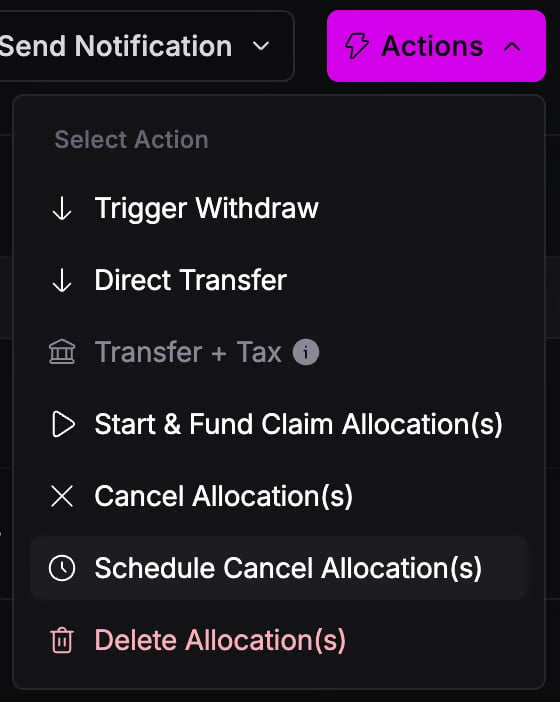
1. Go to the Allocations details page, click on actions, and select the *Schedule Cancel Allocation(s)* Action \
   \&#xNAN;*Note: if you do not see the "Schedule Cancel Allocation(s)" option in the actions menu reach out to our team as this will need to be enabled by an admin if it is not already*\
   ![](https://943902899-files.gitbook.io/~/files/v0/b/gitbook-x-prod.appspot.com/o/spaces%2FPRA9BcTnCgCiD7GyV8xY%2Fuploads%2FcssxeqOAPRZmEFbyytE4%2Fimage.png?alt=media\&token=d5295760-abd9-4d43-8693-7d7e420c7de9)
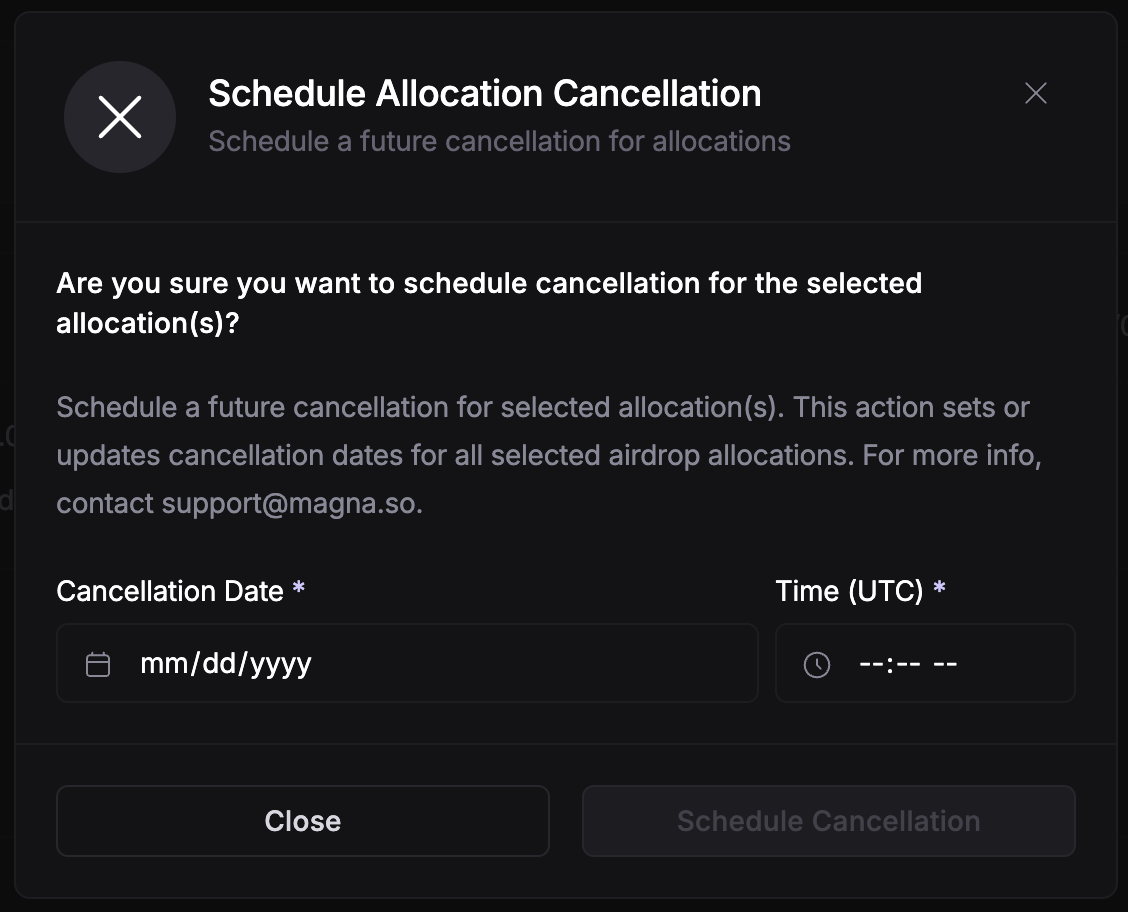
2. Select your scheduled cancellation date and time and click Schedule Cancellation
   <div align="left"><figure><img src="https://943902899-files.gitbook.io/~/files/v0/b/gitbook-x-prod.appspot.com/o/spaces%2FPRA9BcTnCgCiD7GyV8xY%2Fuploads%2FECeUr04ehVsfciCR49jM%2Fimage.png?alt=media&#x26;token=02cea0e0-4f37-4eb7-87ab-2954d6a85cca" alt="" width="563"><figcaption></figcaption></figure></div>

Now, at this date and time your airdrop allocation will be automatically cancelled with no further instruction needed.&#x20;