

- Propose using Wallet Connect — link your Safe to Magna over WalletConnect.
- Propose using Safe member wallet — connect a Safe owner’s own wallet and propose the transaction through the Safe API, without WalletConnect.
Propose using Wallet Connect
- Navigate to Safe and create or join a Safe with the desired threshold and account owners.
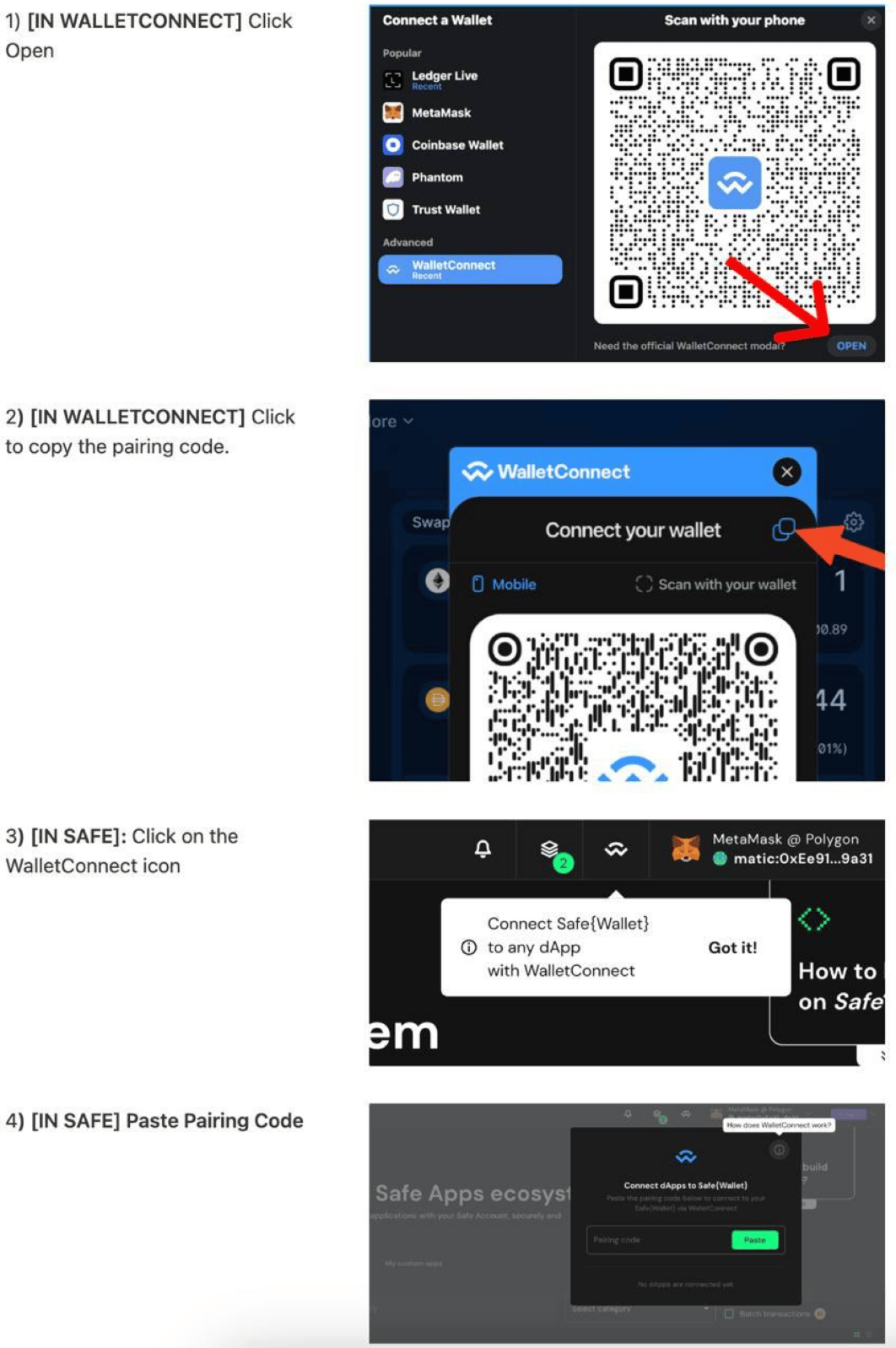
- Navigate to Magna, click on “Connect Wallet” button and select “WalletConnect”.
- Click “Open” where it says “Need the official WalletConnect modal?”
- Copy the WalletConnect Link that is displayed.
- Navigate to the Safe app, and click Wallet Connect icon in the top right
- Copy the WalletConnect link from Magna and paste it in the field.
- Keep this tab open to maintain the connection and accept new transactions.
- Sign subsequent transactions in another SAFE tab.
Addresses and values may be different between the video and your transactions in the app.
Propose using Safe member wallet
If you are an owner of the Safe, you can propose transactions to it directly from Magna — no WalletConnect connection required:- In Magna, click Connect Wallet and connect the wallet that is an owner of your Safe (for example, MetaMask).
- Start the transaction in Magna as usual. Magna proposes it to your Safe through the Safe API and prompts you to sign the proposal with your connected wallet.
- The remaining Safe owners review and sign the proposed transaction in the Safe app.
- Once the signature threshold is met, execute the transaction from the Safe app.