

Sign with raw transaction data
-
Open the transaction group and expand the transaction you want to run. On that transaction, click
Simulate.
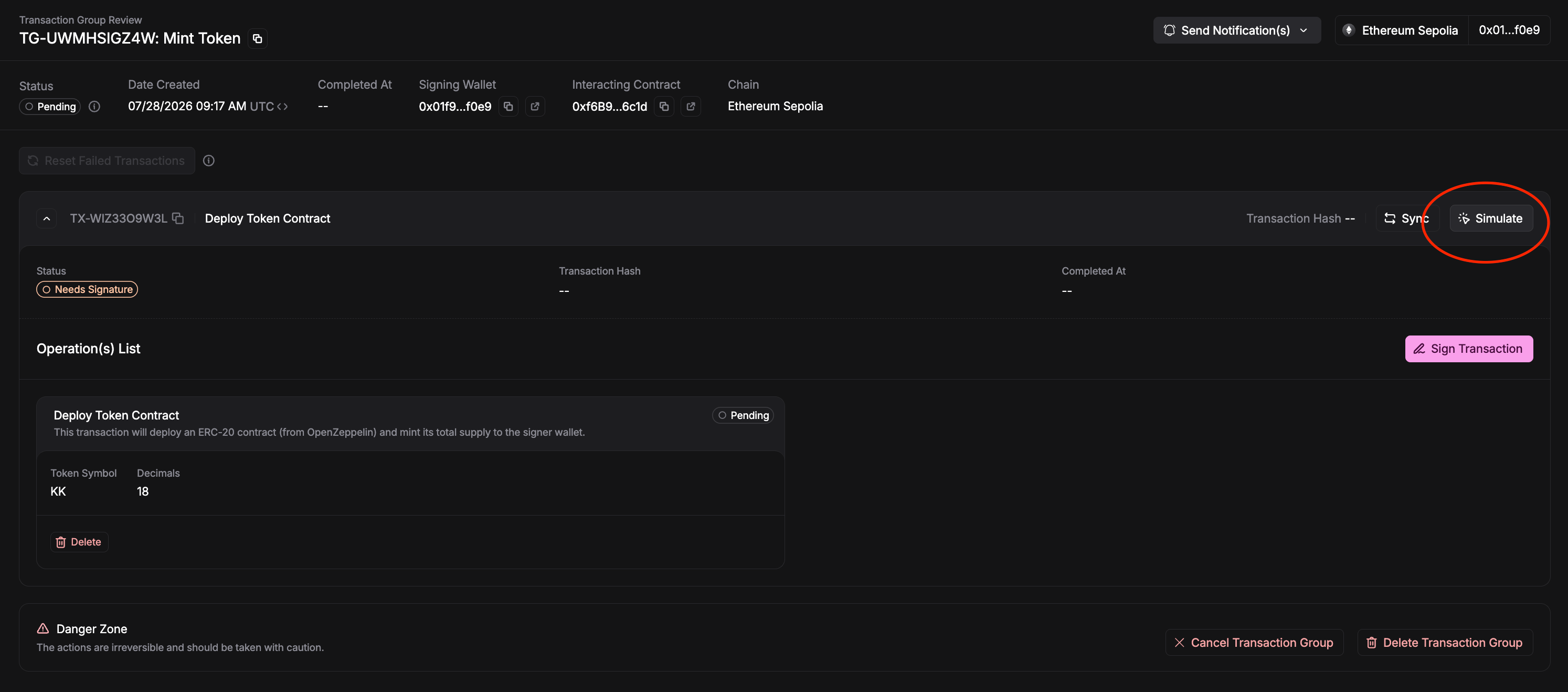
Click Simulate on the transaction you want to run
-
In the Simulate Transaction dialog, wait for Simulation Successful, then copy the Data
value from Transaction Parameters — this is the raw transaction data you’ll execute.
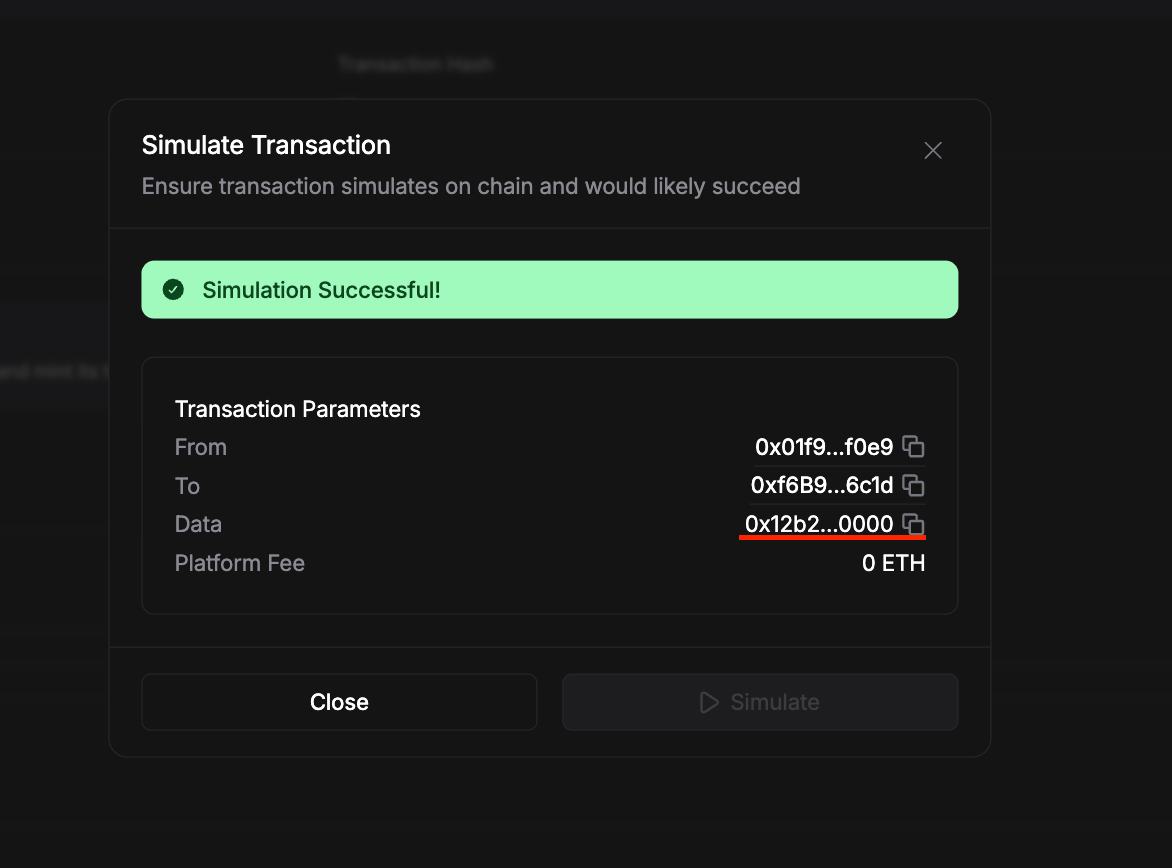
Copy the Data field from a successful simulation
- Execute the transaction yourself using your own wallet or tooling with that raw data, and broadcast it on-chain.
- Once the transaction is confirmed, copy its transaction hash.
-
Back in Magna, click Sync on the transaction, paste the hash into On-Chain Hash, and click
Confirm. Magna re-triggers indexing, reads the on-chain result, and updates the transaction’s
status in the app.
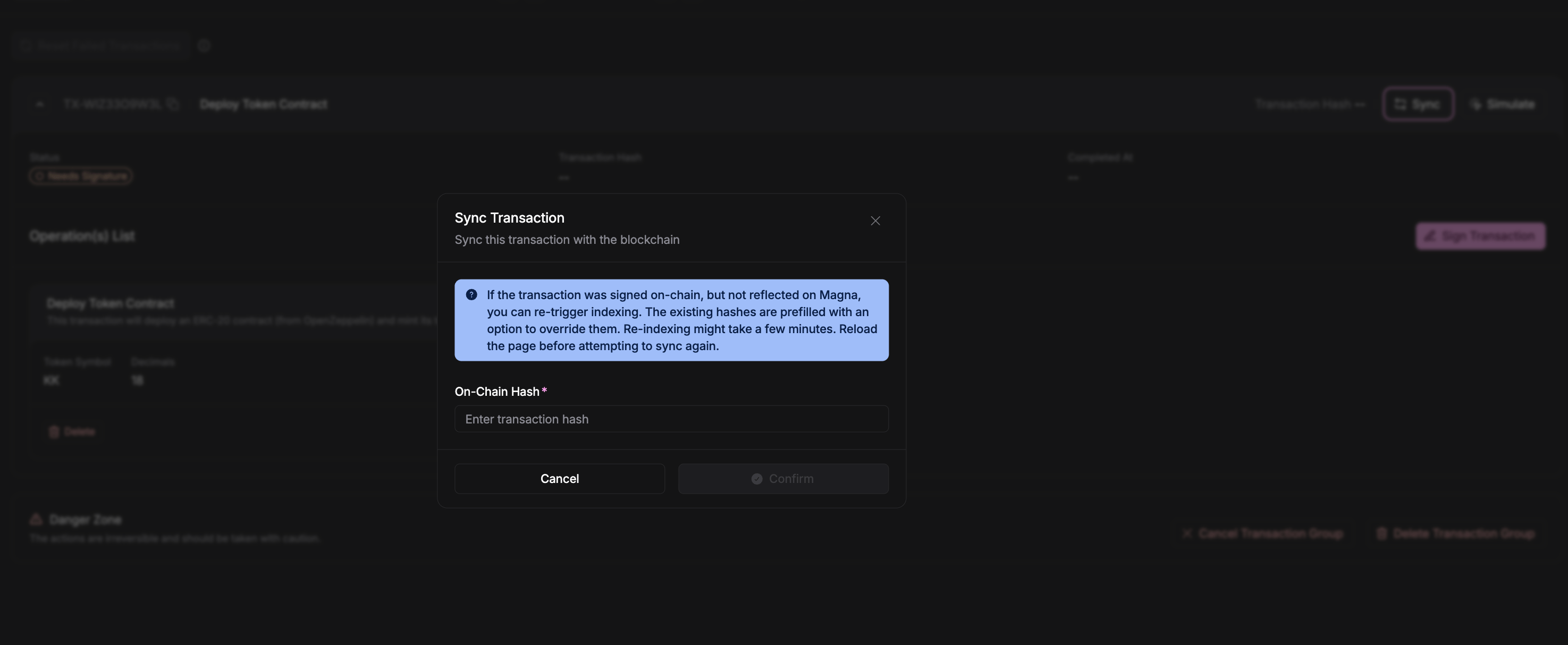
Paste the on-chain hash into Sync Transaction
Because Magna doesn’t submit this transaction for you, it can’t track the transaction until you sync
the hash. Keep the hash handy and sync it as soon as the transaction is confirmed so the app state
stays accurate.