

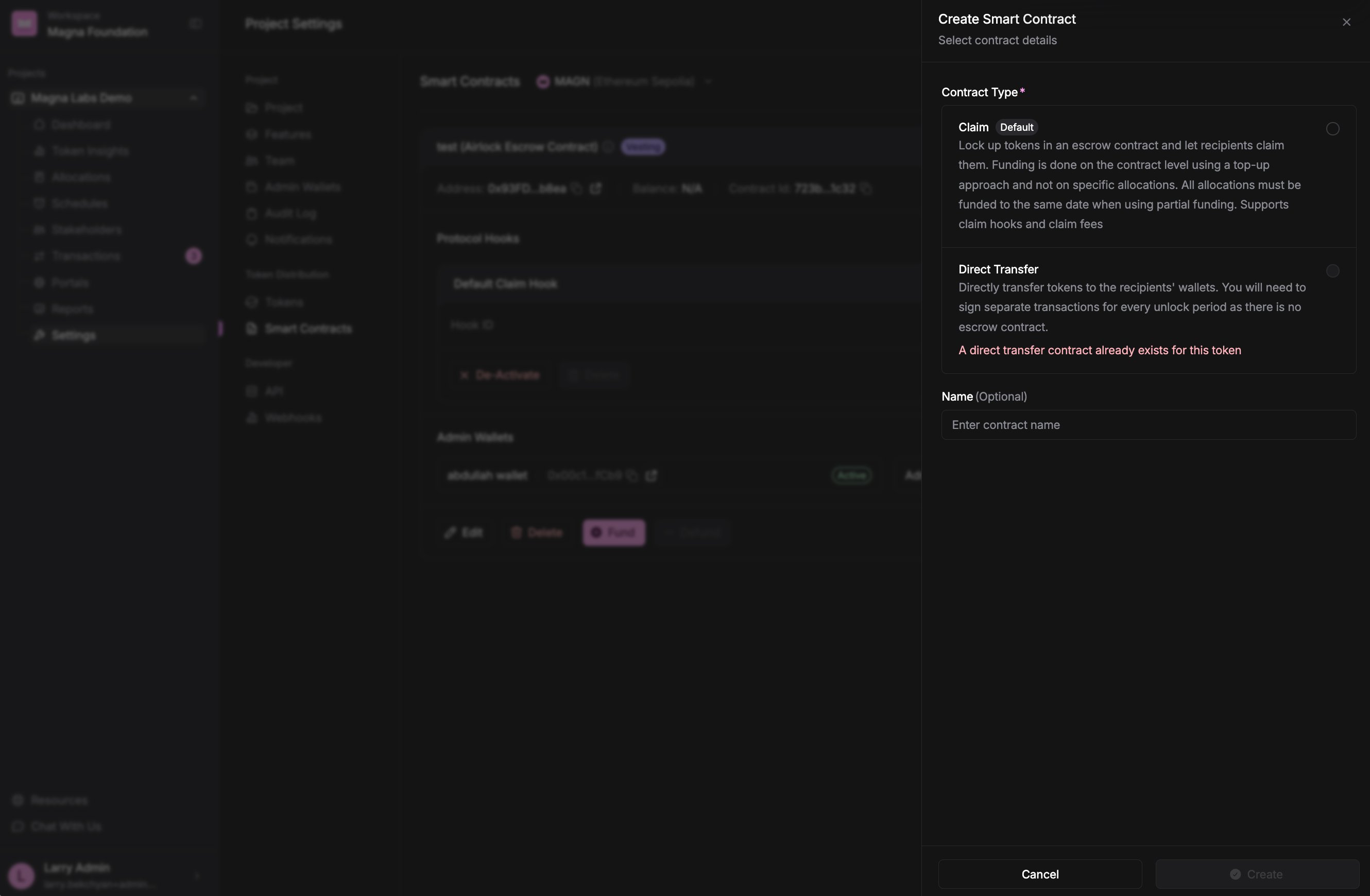
Choosing a contract type when creating a smart contract. Each option shows how it distributes tokens.
Claim
Lock up tokens in an on-chain escrow contract and let recipients claim them as they vest or unlock. You fund the contract once (at the contract level, using a top-up approach) rather than funding each allocation separately, and stakeholders pull their tokens from the contract when they’re releasable. Choose Claim when you want:- An escrow contract that holds tokens on-chain until they’re claimed.
- Stakeholders to claim on their own schedule, through their portal.
- To fund the whole contract in one place instead of per allocation.
After a Claim contract is deployed, it appears in the contract list labeled as an Airlock Escrow Contract — this is the underlying escrow contract that powers the Claim experience. It’s the same contract you created as “Claim.”
Direct Transfer
Send tokens straight to recipients’ wallets (an airdrop-style distribution). There is no escrow contract holding the tokens — instead, you sign a separate transfer transaction for every unlock period when the tokens become releasable. Choose Direct Transfer when you want:- Tokens delivered directly to wallets rather than claimed from a contract.
- No on-chain escrow.
- To push tokens out yourself at each unlock, rather than having stakeholders claim.