

You’ll need a token with an on-chain address and an admin wallet to deploy. The admin wallet you choose becomes the owner of the contract and signs its transactions.
Create a contract
- Go to Settings → Token Distribution → Smart Contracts.
- Select the token you’re creating the contract for from the dropdown at the top of the page.
- Click Create Smart Contract (top right).
-
In the Create Smart Contract panel, choose a Contract Type:
- Claim — lock tokens in an escrow contract for stakeholders to claim.
- Direct Transfer — send tokens directly to recipients’ wallets.
- Enter a Name for the contract (optional, but recommended so it’s easy to identify later).
- If you want to deploy immediately, tick Do you want to create an initialize transaction now? and select the Admin Wallet that will own the contract.
- Click Create.
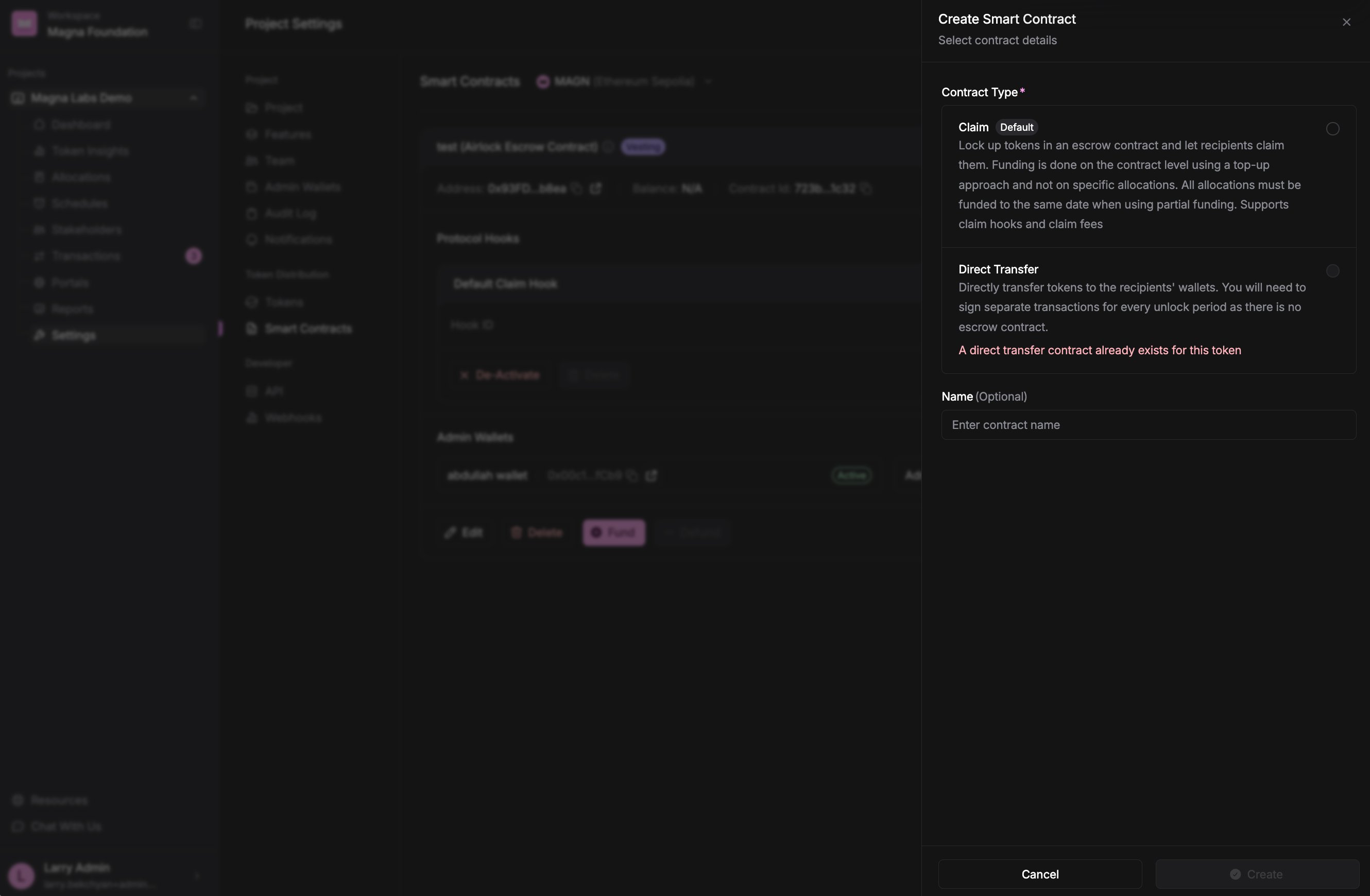
The Create Smart Contract panel: choose a contract type, give it a name, and optionally create the initialize transaction right away.
Deploy a contract
A contract that hasn’t been put on-chain shows Not deployed on its card, with a Deploy button.- On the contract’s card, click Deploy.
- In the Deploy Smart Contract dialog, choose the Admin Wallet that will be the owner of the contract.
- Click Create.
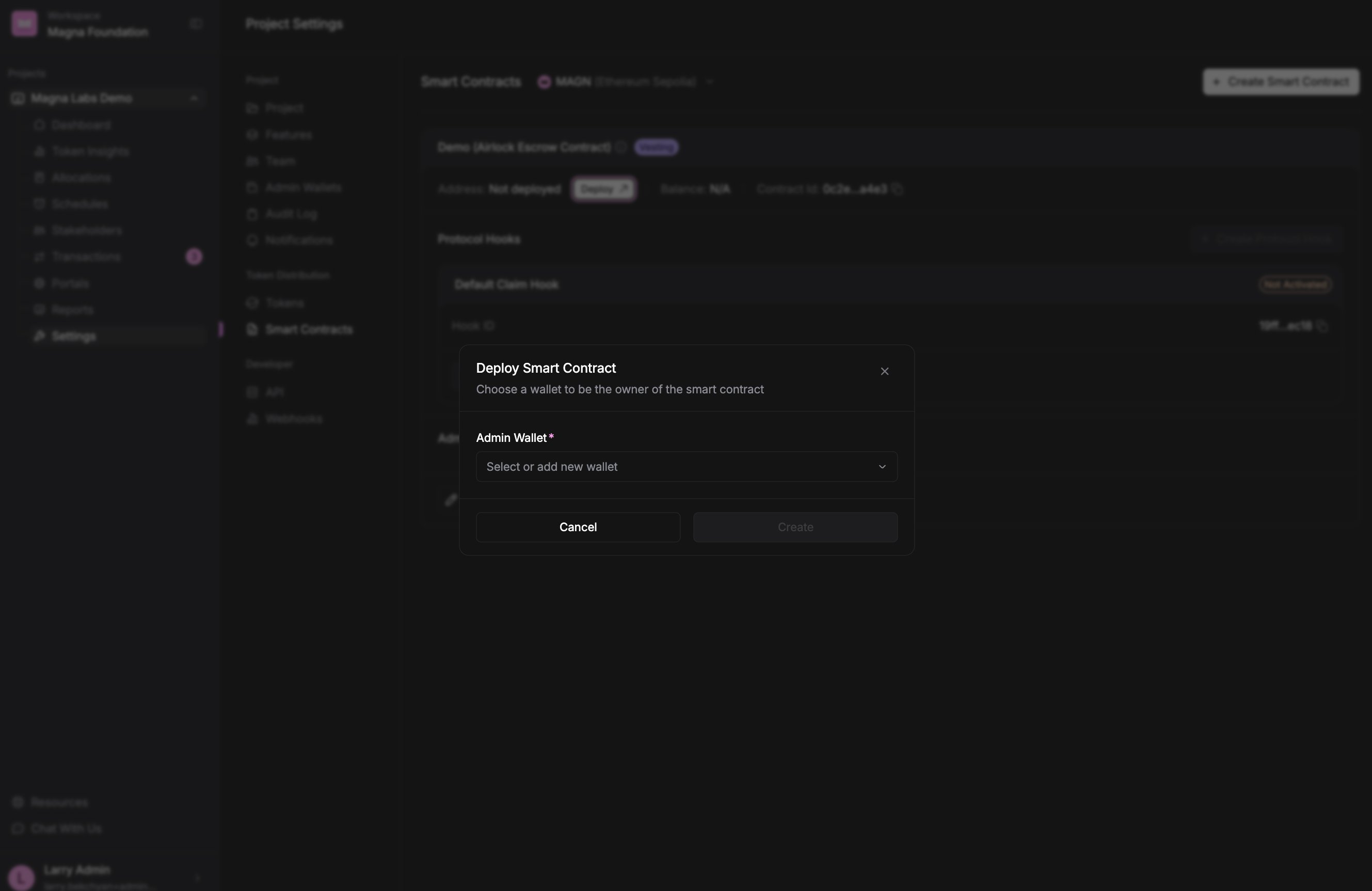
A contract that isn't on-chain yet shows 'Not deployed'. Deploy it by choosing the admin wallet that will own it.
Sign the deployment
Deploying doesn’t happen from the dialog — Magna prepares the on-chain transaction, and you sign it to complete the deployment.- Go to the Transactions tab.
- Sign the Initialize Contract transaction with your admin wallet.
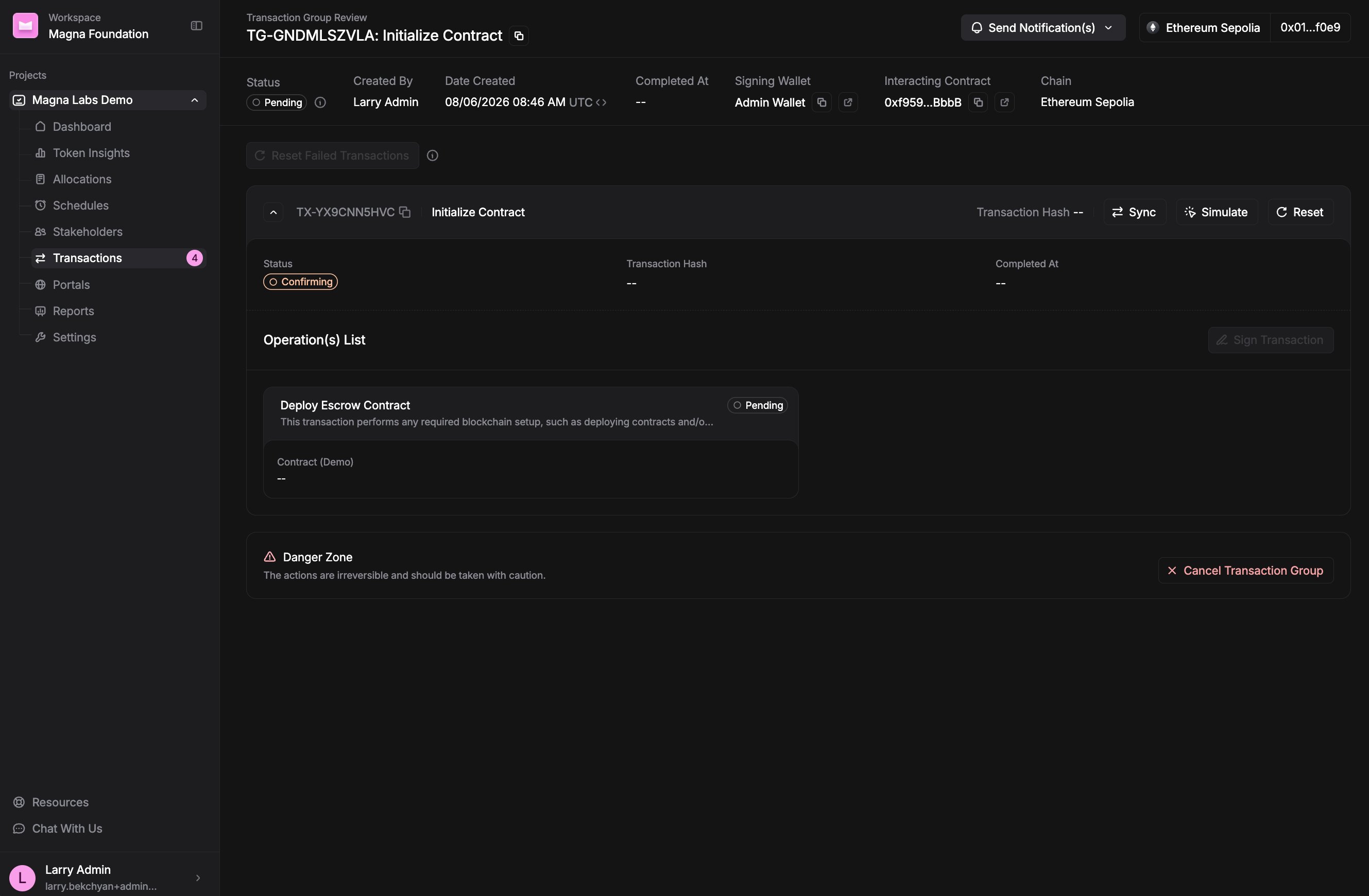
The Initialize Contract transaction group. Sign it to deploy the escrow contract on-chain.
Next steps
- Claim contract: Fund the contract so stakeholders can claim their tokens.
- Direct Transfer contract: distribute tokens per unlock from the allocations flow — see How To Fund Airdrops.
- Need to rename it later? See How to edit a contract.